
Before you buy loss run software, check eight things: how requests are sent, whether follow-ups run without staff, how the client authorization is handled, which file types are read, whether the claims land in a fixed schema, what checks run on what arrives, how it fits your agency system, and what the price covers at your volume. A tool that fails two of these usually just moves the retyping somewhere else.
Test the reading step on a loss run you already hold, no account needed.
The eight-point checklist
- Who sends the request, and in whose name? Carriers answer an agency they know. Requests should go out in your agency's name with the insured's signed authorization attached, and replies should come back to you.
- Are follow-ups automatic? A reminder to a person is not a follow-up to the carrier. Ask what schedule runs without anyone clicking. LossRunReports follows up on day 3, 7 and 14.
- How is the authorization collected? If the client still has to print, sign and scan, requests wait on the client. E-signature inside the request flow removes that stall.
- What file types are read? Carriers send text PDFs, scanned PDFs, XLSX and CSV. Ask for a demo on your worst scan, not the vendor's sample.
- Do claims land in one schema? Claim number, date of loss, status, paid, reserve and incurred should end up in the same columns whichever carrier issued the report, so five years can be summed.
- What is checked on arrival? Missing years, duplicate claims and stale valuation dates are the usual problems. See currently valued loss runs for the acceptance window most markets use.
- How does it fit your system? Importing the book from an AMS export, CSV or XLSX is enough for most agencies. Look at the Applied Epic guide to see how an export maps.
- What does the price cover at your volume? Count renewals and documents a month, not seats. A published price lets you check this before a sales call.
Questions to ask on a demo
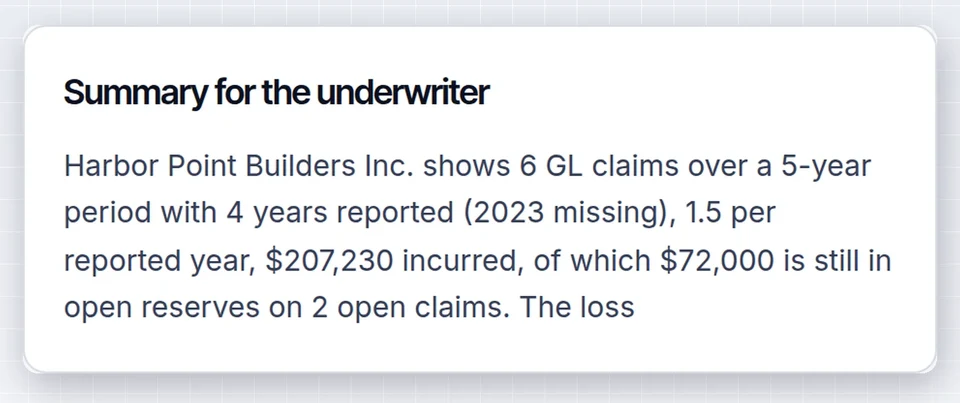
Bring one real file and one real renewal. Ask the vendor to run both and show you the output that an underwriter would read. Then ask four things.
- What happens when a carrier does not answer after the last follow-up, and who is told?
- Can I review and edit an extracted claim before it goes into a summary?
- Where are the source reports stored, and can I export them with the summary?
- What is the full monthly cost for my number of accounts and documents, with no per-report fees added later?
If the answer to the last one is "it depends, we will scope it", you are looking at a sales-led platform. That is normal for a carrier or large MGA and slow for an agency with a renewal due. Our loss run software pricing comparison shows what each type of tool costs.
Red flags
Be careful with a tool that only orders reports and calls that automation, because your staff still key every claim. Be equally careful with an extraction API that needs developer time before an account manager can use it, and with any vendor that cannot show a price. The extraction software comparison explains the difference between the two.
A simple way to compare three vendors
| Checklist item | Ordering tool | Extraction API | Request and read workflow |
|---|---|---|---|
| Sends requests | Yes | No | Yes, with e-signed authorization |
| Follow-ups | Varies, ask | No | Day 3, 7 and 14 |
| Reads claims | No | Yes, you build the screen | Yes, with a review screen |
| Five-year summary | No | You build it | Yes, XLSX, CSV and PDF |
| Published price | Often | Per document | Broker $299 a month |
Pages comparing named tools one by one: Loss Run Pro alternative, Sensible alternative and the full roundup for agencies.
Making the case to your principal
Put the numbers on one page: renewals a year, hours spent on loss runs per renewal, and the monthly price. Eight renewals a month at two hours each is sixteen hours, which at an account manager's loaded cost passes $299 quickly. If you need a formal write-up for the owner or a partner, an AI proposal tool that turns a brief into a finished document saves the layout work, and the evidence is the pilot: run one renewal through the tool, keep the source reports and compare the hours.
Frequently asked questions
What should I look for when buying loss run software?
Look for automatic requests with e-signed authorization, scheduled follow-ups, reading of PDFs and scans into one claims schema, checks for missing years and stale valuations, and a published price. These cover the whole job from request to a five-year summary.
How long does it take to switch?
You can start with one renewal the same day. Import accounts from an AMS export, send requests, and upload reports you already hold. Most agencies run a pilot on a handful of renewals before moving the whole book.
Do I need an agency management system integration?
Not to start. An export from your system as CSV or XLSX loads clients, policies and prior carriers. Deeper integration matters once volume is high, and it should not block a pilot.
Start with one renewal on LossRunReports and judge the tool against this checklist.